Products / Bizz AI Gateway
One gate
for every
AI request
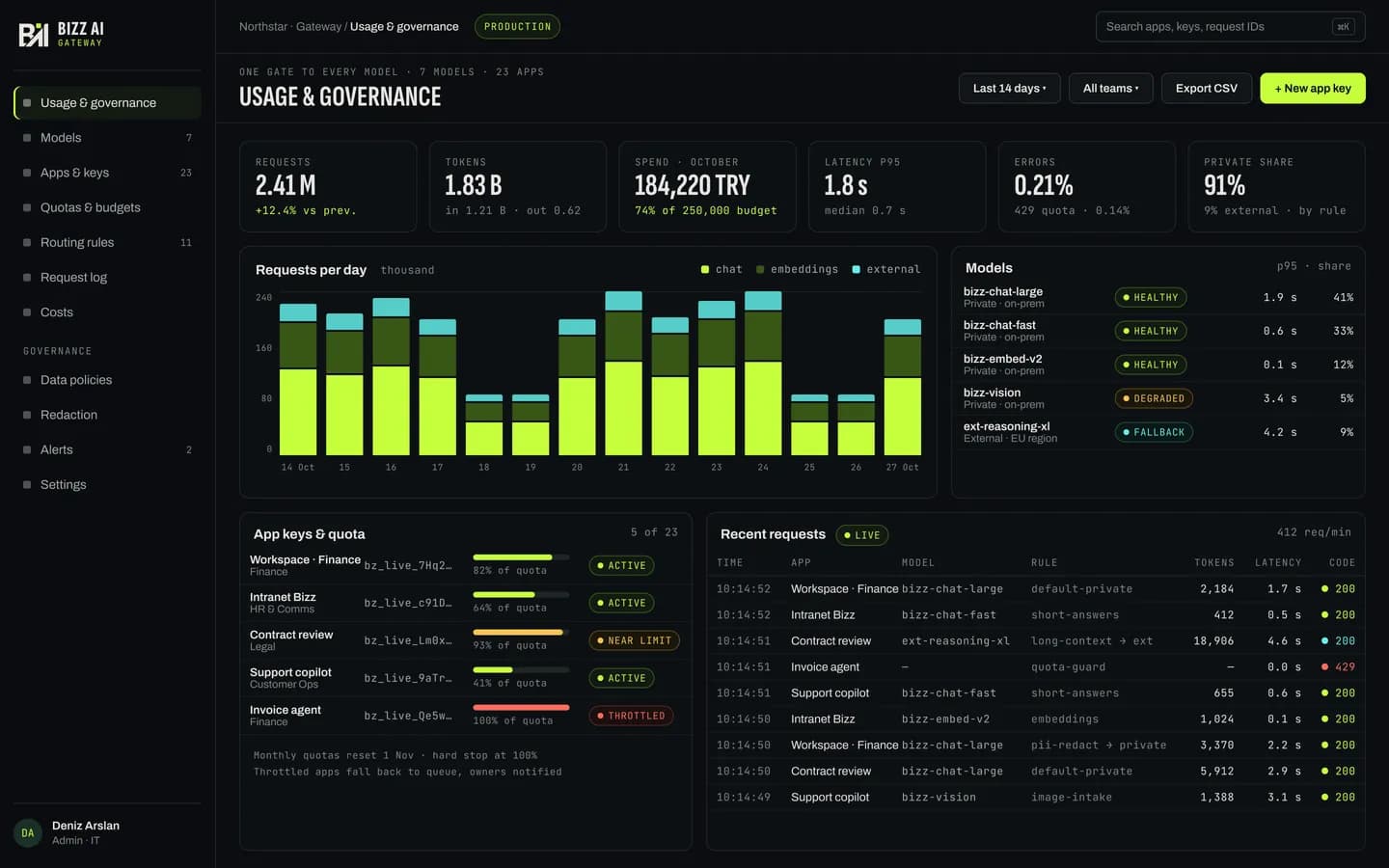
Bizz AI Gateway connects every application and team in your organization to on-premise models, and to the cloud models you allow, through a single connection point. Who used which model, and how much: all logged, all governed by rules.

Problem
Scattered connections, invisible usage, unpredictable cost
When every application connects to models on its own, keys spread everywhere and quotas and logging are rebuilt in each one. The security team cannot see the organization's AI usage in one place; finance cannot tell where the cost comes from. Changing a model means changing applications.
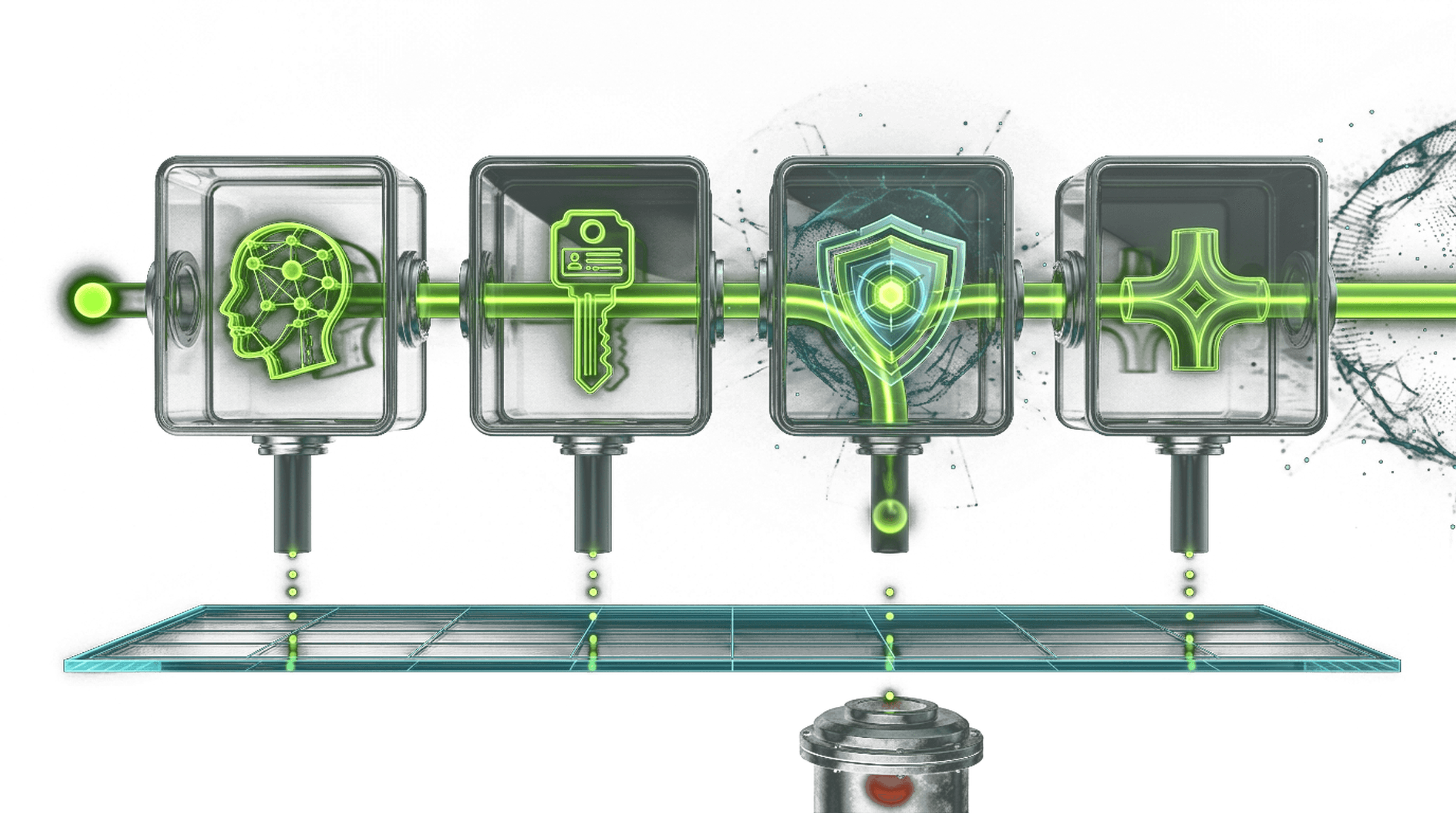
Every request passes four checks
01
Identity and key
The calling application or user is verified.
02
Permission and quota
Access to this model, the budget and the request limit are checked.
03
Security rules
Input and output are checked against your rules.
04
Routing
The request goes to the right model; if that model does not respond, it fails over to a backup model.
A request that fails a check is rejected with the reason. Every request, passed or rejected, is written to the usage log.
What it does
- 01
One connection point
Applications reach models through one connection in a widely used standard API format; the model can change, the application does not.
- 02
Application and team keys
A separate key for every application, team and user; any key can be revoked.
- 03
Budgets and quotas
Budgets and request limits per team or application, with alerts as limits approach.
- 04
Load balancing and failover
Requests are spread across model servers; if a model does not respond, the request goes to a backup model.
- 05
Usage and cost tracking
Which team, which application, which model, how much: on one dashboard.
- 06
Security rules
Input and output checks; rules for personal data or prohibited content.
- 07
Governed external access
The route to cloud models opens only if you open it, and every use is logged.
- 08
Complete log
Every request is logged with who made it; logs can be exported for audits.
How it works
- 01
Connect your models
Add your on-premise model servers and the cloud models you allow.
- 02
Set the rules
Teams, keys, budgets and routing rules are defined on the admin dashboard.
- 03
Route your applications
Applications and agents now reach models through Gateway.
- 04
Monitor
Usage, cost and errors on one dashboard.
Product screens
01 · Usage and governance dashboard
02 · Applications, keys and budgets
03 · Routing rules and fallback model
04 · Request log detail
Who it is for
- 01
IT and security
All AI usage in the organization is visible in one place and governed by rules.
- 02
Finance
Cost is visible by team and application; budgets are not exceeded.
- 03
Developers
One standard connection for every model; the model changes, the code does not.
Place in the family
Gateway is part of the Bizz AI Core package and can also be used on its own. Agent Core+ and Bizz AI Workspace reach models through Gateway, and your own applications use the same gate.
FAQ
Can we connect applications we built ourselves?
Yes. Gateway offers a connection in a widely used standard API format; most applications connect by changing only the address.
Do we have to use cloud models?
No. The route to cloud models opens only if you allow it.
What happens if a model goes down?
Following your routing rules, the request goes to a backup model; users see no interruption.
How do we see the cost?
The dashboard shows usage and cost by team, application and model.
Can we use the logs in an audit?
Yes; request logs can be exported.
Bizz AI Gateway
Want to see it on your own servers?
We will show our products against your needs, using fictional data.